
From signup to first reward in under 60 seconds — no app required
PerQ is a digital stamp card. That's the simplest way to describe it.
Instead of a paper card that gets lost or forgotten, your customer's loyalty card lives inside an app that's already on their smartphone. On iPhones it's called Apple Wallet. On Android smartphones it's called Google Wallet. It's the same app people use to store their boarding passes, concert tickets, and bank cards.
Most people have used the Wallet app without realising it. Apple Wallet and Google Wallet come pre-installed on every iPhone and Android smartphone. Your customers already have it. Nobody needs to download anything new.
Inside the Wallet app, each item is called a pass. A boarding pass is a pass. A concert ticket is a pass. Your PerQ loyalty card is a pass. When a customer scans your QR code, your branded loyalty pass is added to their Wallet app automatically. It sits there alongside everything else they already have.
Below is an example of what your customers will actually see inside their Wallet app. Your logo, your colours, your business name, and their current stamp count, all on one card.
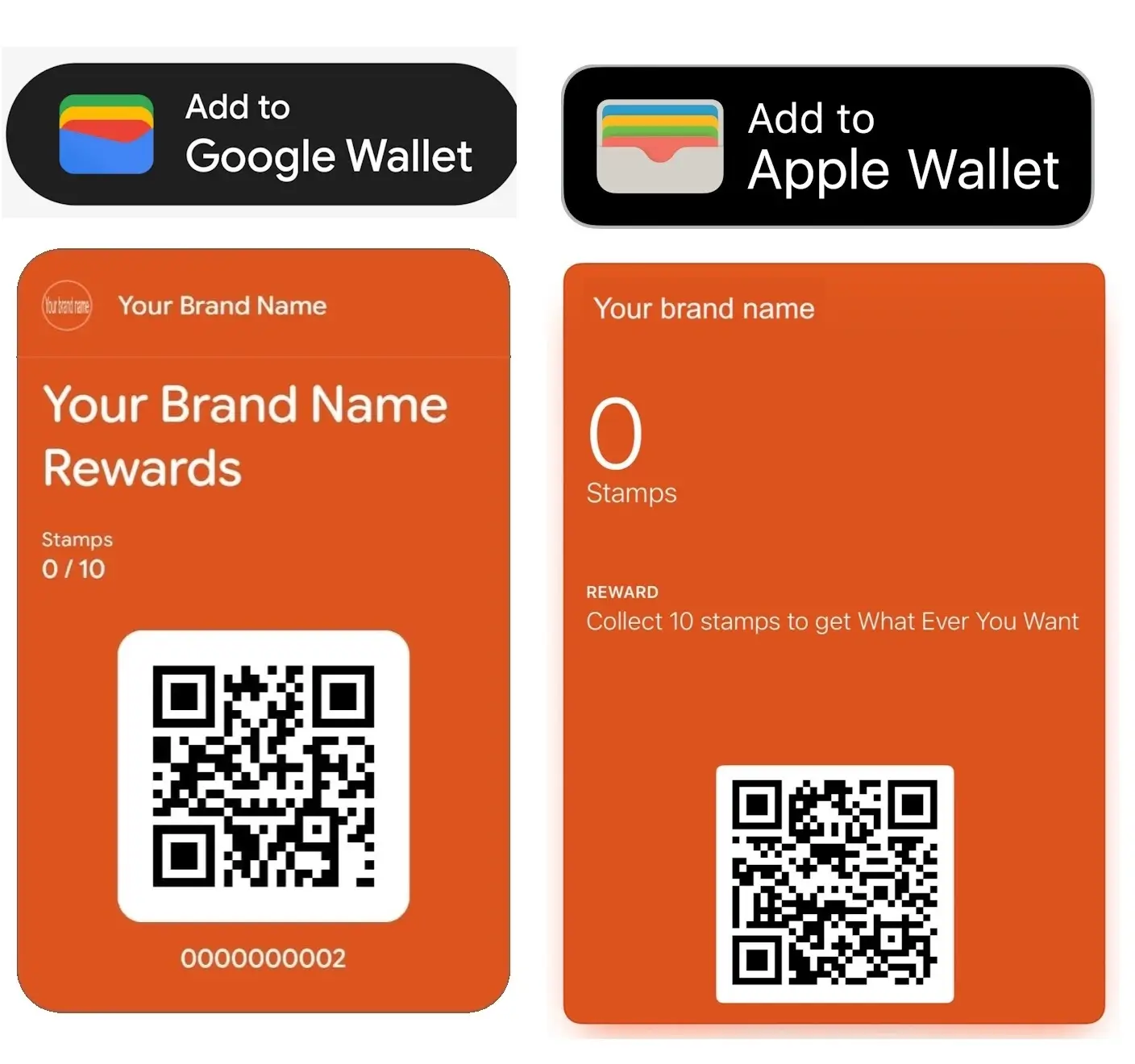
An example of a branded PerQ loyalty pass inside Apple Wallet. Your customers see your logo, your colours, and their stamp count every time they open it.
Once you have set up your PerQ account, you get your own unique QR code. A QR code is simply a square barcode that any smartphone camera can read. You download it, print it off, and display it in your shop. If you'd rather have something more polished, we offer a loyalty poster pack for a small additional fee.
A customer points their smartphone camera at your QR code. A link appears on their screen. They tap it, hit "Add to Wallet", and your branded loyalty pass lands straight inside their Apple Wallet or Google Wallet. No account to create. No password to remember. No app to download. The whole thing takes about ten seconds.
Next time they come in, they open their Wallet app, find their pass, and show you the QR code on it. That's how you know who they are and how many stamps they have.
Download the free PerQ Scanner App to your smartphone or tablet. Sign in using the same email and password you used when you created your PerQ account. It's a one-off setup and takes about thirty seconds.
When a customer wants a stamp, they open their Wallet app and show you their pass. You scan the QR code on their pass with the PerQ Scanner App. The stamp is recorded instantly. Their pass updates on the spot. No manual input. Nothing to type in.
When a customer hits the required number of stamps, your PerQ Scanner App tells you automatically. A reward alert appears on screen. You hand over the reward, tap confirm on the app, and their pass resets back to zero stamps. Their Wallet pass updates itself.
You decide what the reward is and how many stamps it takes to earn it. That's entirely up to you.
Click the button below. You'll create your account, upload your logo, pick your brand colours, and set your reward. Your unique QR code is ready in under 60 seconds. Print it off, stick it on your counter, and you're running a loyalty scheme today.
Free for 30 days. No contract. No risk.
Start Your Free 30-Day Trial. Set Up In 60 Seconds.On a desktop computer, click the Log In button in the top right corner of this website. On a smartphone or tablet, tap the three-bar menu button in the top right corner, then tap Log In.
Select PerQ Dashboard and sign in with the email and password you used when you created your account.
From your dashboard you can download your customer data, update your account details, and make changes to your loyalty scheme any time you like.